Tutorial
From nothing to a transcribed folder in a few minutes. Everything beyond these three steps is in the user guide.
1. Install it
brew install tesseract poppler
pip install "tetrak[qa]"
sudo apt-get install tesseract-ocr poppler-utils
pip install "tetrak[qa]"
That is Tesseract, the one engine every install has, plus the quality scoring that lets Tetrak choose between engines. Check what you have:
tetrak-ocr backends
Adding engines is one extra each — [vision] on a Mac, [easyocr] anywhere,
[all] for the lot. The guide’s
installation page
says what each one buys and costs.
2. Transcribe two images
tetrak-ocr ocr page.jpg --backend tesseract-auto
The transcript prints to stdout. tesseract-auto is Tesseract inspecting
each image first and picking the contrast and page layout to suit it, which
on faded or reversed-out material is the difference between a transcript and
nothing.
If you have a checkout of the repository, the corpus has two items that show the range. First, the front page of a 1930 Los Angeles theatrical trade weekly: a display masthead over dense multi-column newsprint on aged, low-contrast paper.
tetrak-ocr ocr evaluation/ocr/corpus/images/inside-facts-1930-cover.jpg --backend tesseract-auto
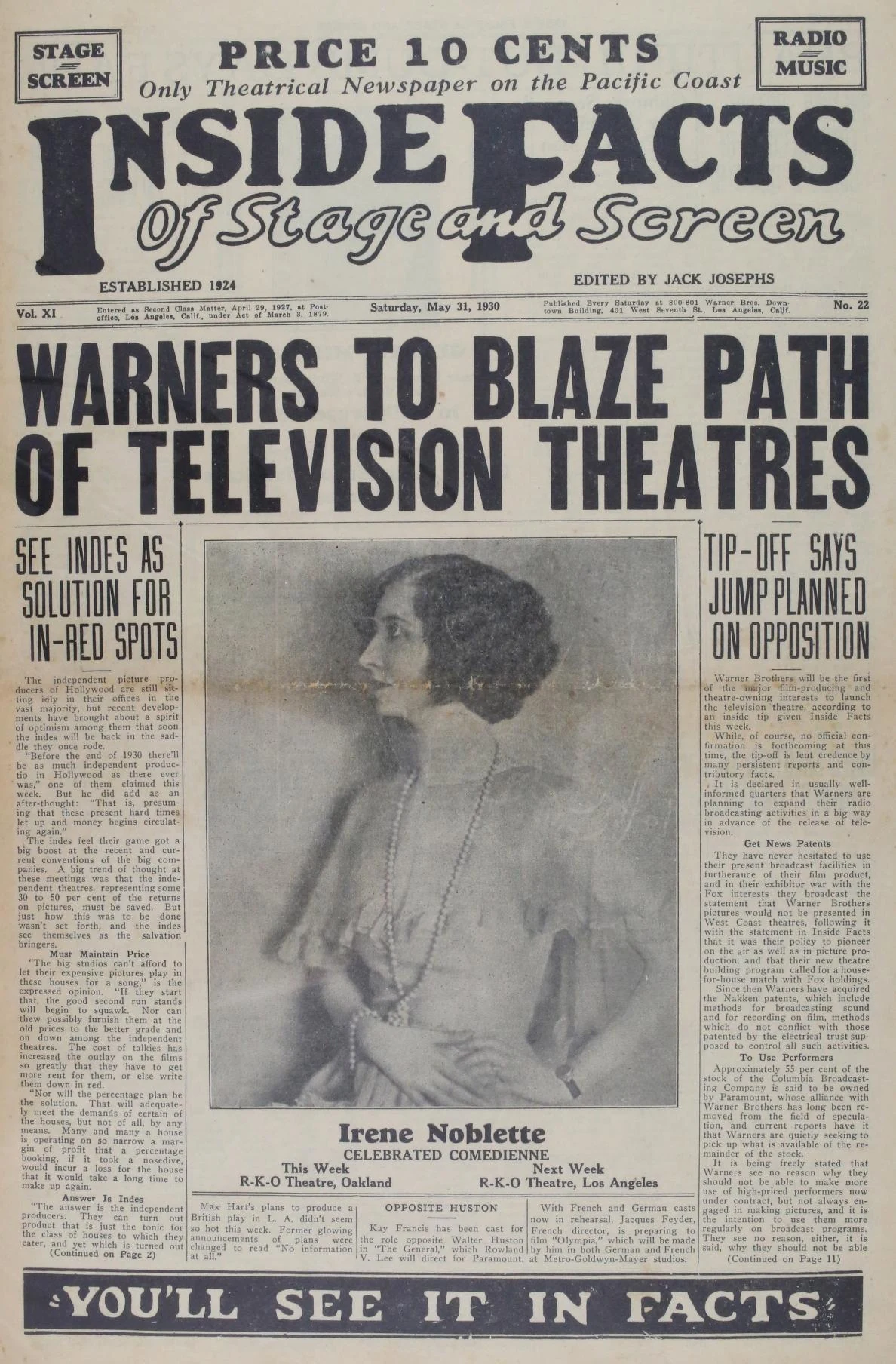
Difficult-looking, and read well: you should get a near-complete transcript of the page, with the columns in order. This is the kind of material where the engine you already have, tuned, is most of the answer.
Now the hardest item in the corpus, a vaudeville chromolithograph from about 1914: hand-lettered display type arched over an illustration, colour on colour, with tiny caption text along the foot.
tetrak-ocr ocr evaluation/ocr/corpus/images/kar-mi-troupe-poster.jpg --backend tesseract-auto
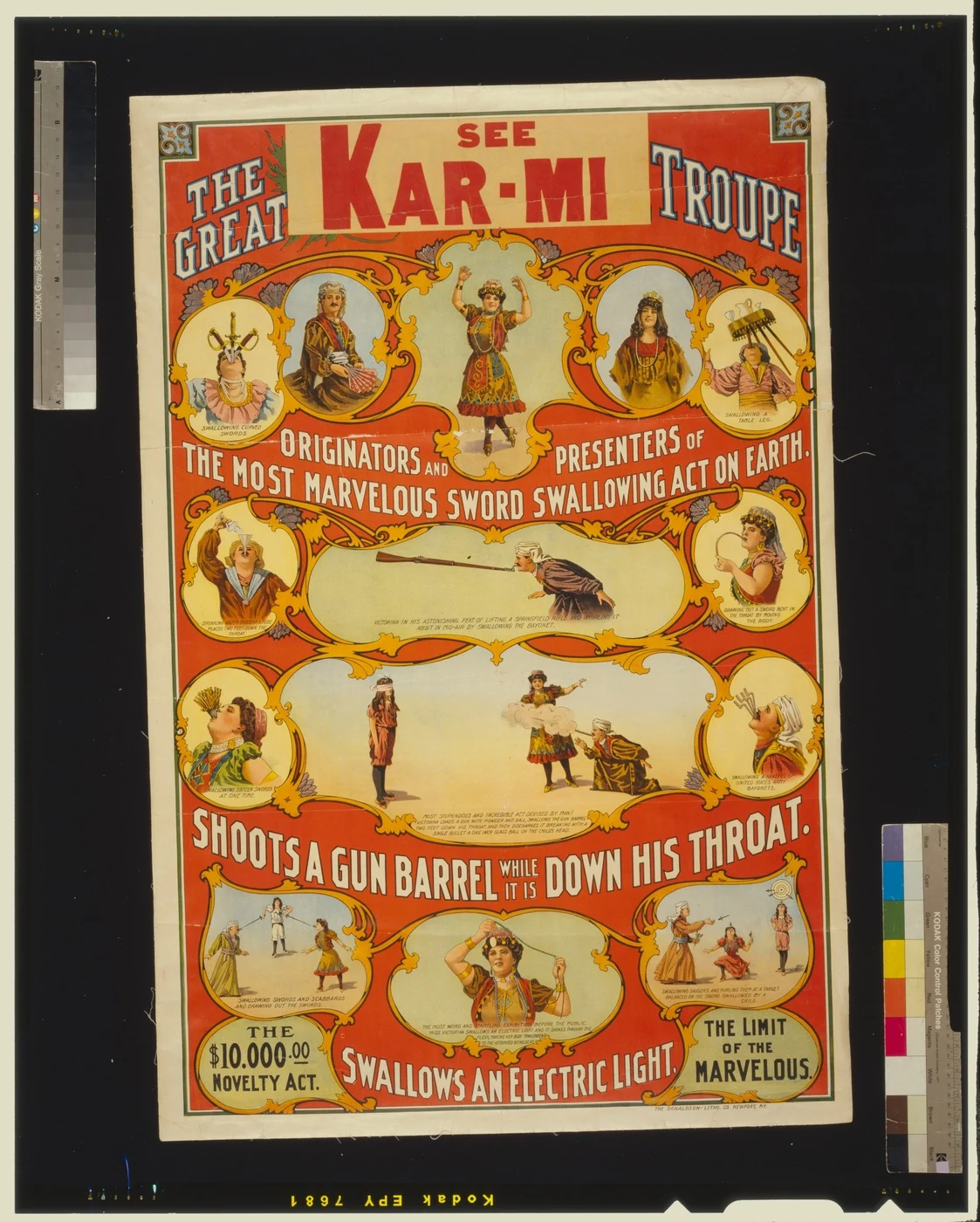
You will get almost nothing back, and that is not a misconfiguration. Tesseract matches letter shapes against trained forms, and this poster has none to match. The deep-learning engines do better, recovering a fair share of the words between them, and no local engine reads it cleanly. That spread, from one page read almost perfectly to another nobody reads well, is why the next step exists.
3. Batch a small folder
Put a few scans in workspace/scans/ and let Tetrak pick the engine per file:
mkdir -p workspace/scans
cp ~/archive/*.jpg workspace/scans/
tetrak-ocr batch --backend auto-local
auto-local runs every engine you have installed on each file, scores the
transcripts without needing a reference, and keeps the best. When it finishes:
workspace/
  scans/       empty
  processed/   each transcript as <name>.md, with the original moved in beside it
  triage/      anything nothing could read well enough, with a note of what was tried
Put both images from step two through it. The trade weekly comes out in
processed/ with its transcript beside it. The poster may well land in
triage/, with a manifest listing every engine that tried and the opening of
what each produced. That is the point: a poor transcript looks exactly like a
good one from the outside, so Tetrak quarantines it rather than letting it
into your catalogue, and hands the decision to a person. Reading the
manifest, you might find one engine’s attempt good enough to keep, tidy it
by hand, or send the poster to the claude backend, which reads
hand-lettered type that local engines cannot.
Add --pdf to also write each scan as a searchable PDF, the file a
catalogue can index.
Where next
- Quick start — the same three steps with the output explained.
- Batch an archive — the full walk-through, from dry run to catalogue-ready PDFs and a worked triage queue.
- Choosing a backend — which engine for which material, and what a run costs.
- The research — nine documents, five engines, and exactly where each one breaks.